Vuex进阶

vuex进阶

Reduce就像眼镜,当你需要的时候自然就知道了。—-reduce作者

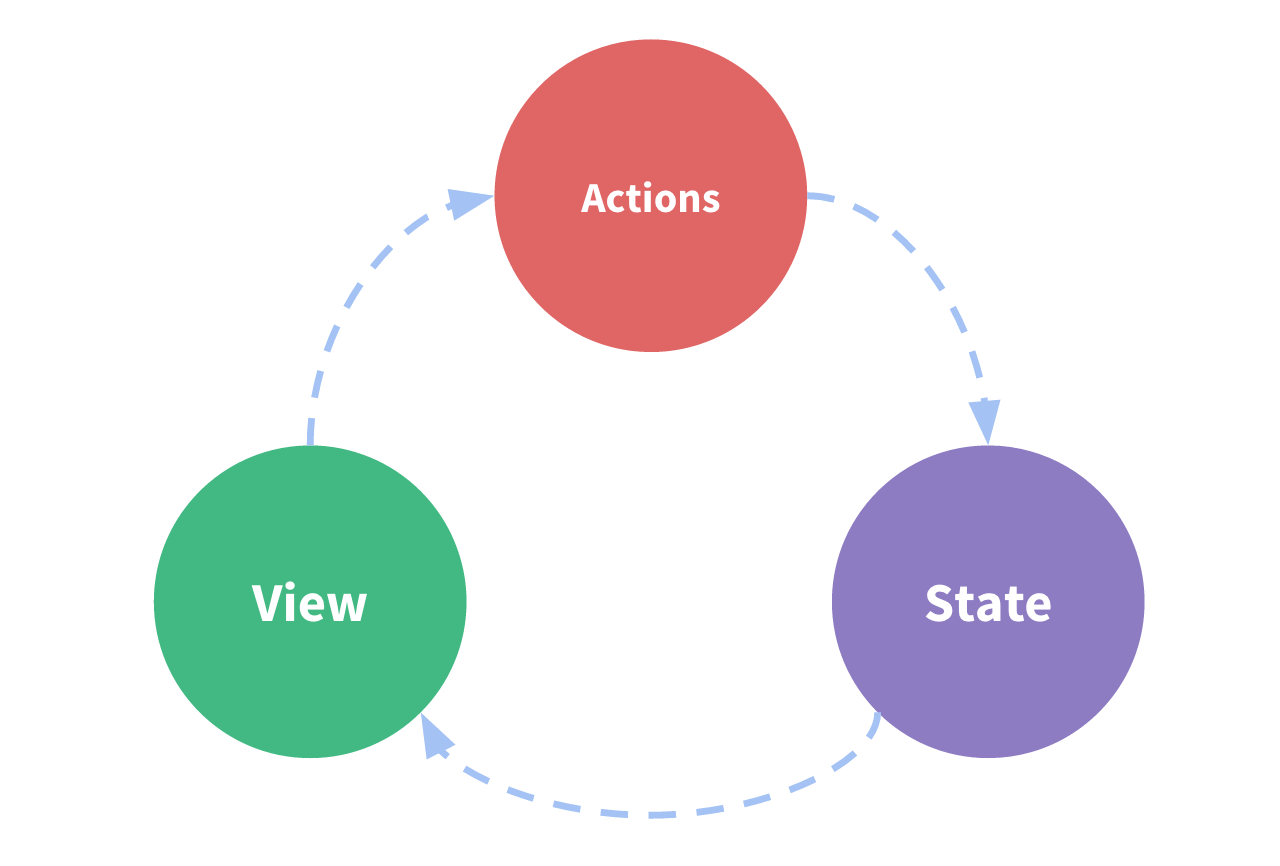
vue组件(其实不止是vue组件,我们开发的应用也是)由三部分组成: state/view/action

刚好映射vue组件的一个结构

1
2
3
4
5
6
7
8
9
10
11
12
13
14
15
16
new Vue({
// state
data () {
return {
count: 1
}
},
//view
template: `<div>{{count}}</div>`,
// action
methods: {
increment () {
this.count++
}
}
})

img

这个结构会出现什么问题呢?当action很多, 那么每个action如果都对state进行了修改。那么定位问题起来就会很复杂。

练习: 使用vue实例做微型状态管理

1
2
3
4
5
6
7
8
9
10
11
12
13
14
15
16
17
18
19
20
21
22
23
24
25
26
27
28
29
30
31
32
33
34
35
36
37
38
39
40
41
42
43
44
45
46
<div id="app">
<counter></counter>
<counter></counter>
<counter></counter>
<button @click="inc">increment</button>
</div>

<script>

// 这就相当于一个vuex的实例, 这对于一个中型应用很有帮助, 特别是接下来的卡片应用
const state = new Vue({
// Implement this!
data() {
// 这相当于vuex中的 store
return {
count: 0
}
},
methods: {
inc () {
// 这相当于vuex的mutation, 必须同步
this.count++
}
}
})

const counter = {
// Implement this!
render(h) {
return h('div', state.count)
},
}

new Vue({
el: '#app',
// Implement this!
components: {
counter
},
methods: {
inc () {
state.inc()
}
},
})
</script>

所以我们在action中调用API, 而在mutation中去修改store

练习: 自己写一个小型的vuex commit的功能

1
2
3
4
5
6
7
8
9
10
11
12
13
14
15
16
17
18
19
20
21
22
23
24
25
26
27
28
29
30
31
32
33
34
35
36
37
38
39
40
41
42
43
44
45
46
47
48
<div id="app">
<counter></counter>
<counter></counter>
<counter></counter>
<button @click="inc">increment</button>
</div>

<script>

function createStore ({ state, mutations }) {
// Implement this!
return new Vue({
data: {
state
},
methods: {
commit (mutationsType) {
mutations[mutationsType](this.state)
}
}
})
}

const store = createStore({
state: { count: 0 },
mutations: {
inc (state) {
state.count++
}
}
})

const Counter = {
render (h) {
return h('div', store.state.count)
}
}

new Vue({
el: '#app',
components: { Counter },
methods: {
inc () {
store.commit('inc')
}
}
})
</script>

练习:根据以下createApp实现vuex的action功能

1
2
3
4
5
6
7
8
9
10
11
12
13
14
15
16
17
18
19
20
21
22
23
24
25
26
27
28
29
30
31
32
33
34
35
36
37
38
39
40
41
42
43
44
45
46
47
<template>
<div id="app"></div>
</template>

<script>
function createApp ({ el, model, view, actions }) {
// Implement this!
const wrappedActions = {}

Object.keys(actions).map(key => {
const originalAction = actions[key]
wrappedActions[key] = () => {
const nextModel = originalAction(vm.model)
vm.model = nextModel
}
})

const vm = new Vue({
el: el,
data: {
model
},
render(h) {
return view(h, this.model, wrappedActions)
},
methods: {
},
})
}

// voila
createApp({
el: '#app',
model: {
count: 0
},
actions: {
inc: ({ count }) => ({ count: count + 1 }),
dec: ({ count }) => ({ count: count - 1 })
},
view: (h, model, actions) => h('div', { attrs: { id: 'app' }}, [
model.count, ' ',
h('button', { on: { click: actions.inc }}, '+'),
h('button', { on: { click: actions.dec }}, '-')
])
})
</script>